Most agri-input companies already have a field app. Reps open it in the morning, tap through fifteen menu items, and fill the rest on WhatsApp or paper in the evening. Managers then chase photos, numbers and expense bills for days. The problem is rarely that the app lacks features. It is that it asks reps to do too much for too little in return.
This guide sets out what a field force app for a seed, crop protection, biostimulant or fertiliser company should do, and what it should leave out.
Start the day with proof, not paperwork
A rep’s day should start with one tap: punch in. A good agri field app asks for three things at that moment and nothing else: a live selfie, a photo of the vehicle odometer with the reading, and GPS. Punching in should not work without GPS. That single screen replaces attendance registers, morning calls and most travel disputes, because the opening odometer reading becomes the base for the day’s travel claim.
Six actions cover almost everything a rep does
When you list what agri reps actually do in a day, it comes down to a short list:
- Product demos, free or paid, with their own pack sizes
- Farmer meetings with attendance and photos
- Farmer visits for advice and complaints
- Dealer visits with order, stock and payment on one screen
- Crop shows and field days
- Expenses
Put those six as big buttons on the home screen. Each one opens a short form with only the fields that matter: farmer name (picked from your farmer data or spoken by voice), village with taluka and district filled in automatically, crop, product, photos and a remarks box. Location is captured in the background.
Photos by stage, not a photo dump
Photos are the proof managers trust, but a camera roll of unlabelled images helps nobody. Ask for photos by stage: for a demo, the plot before, the product applied and the farmer with the product; at the revisit, the demo plot against the farmer’s own plot; at result day, the produce. The app should allow several photos per slot and stamp each with time and location.
Reminders that bring reps back to the plot
Demo plots only sell product if someone returns to show the result. The app should list the demos due for a revisit today, flag the overdue ones, and remind the rep in the app and by SMS the evening before. Managers should see the same list for their team.
Expenses at punch out
The evening is where most apps lose reps. At punch out, the app should take the closing odometer photo and reading, work out travel from the difference, apply the daily allowance for the rep’s designation and day type (HQ, ex-HQ or outstation), and let the rep add food, hotel or meeting costs on the same screen. Hotel limits should follow designation and city tier, so anything above the limit is flagged before it is submitted.
What to leave out
Separate screens for stock, orders, dispatch lists, leave lists and galleries can live in the manager’s web view or a single “Me” tab. Every extra menu item on the rep’s phone is a reason not to open the app. If the rep can do their whole day in six buttons and a punch, adoption follows.
How AgriForce OS handles this
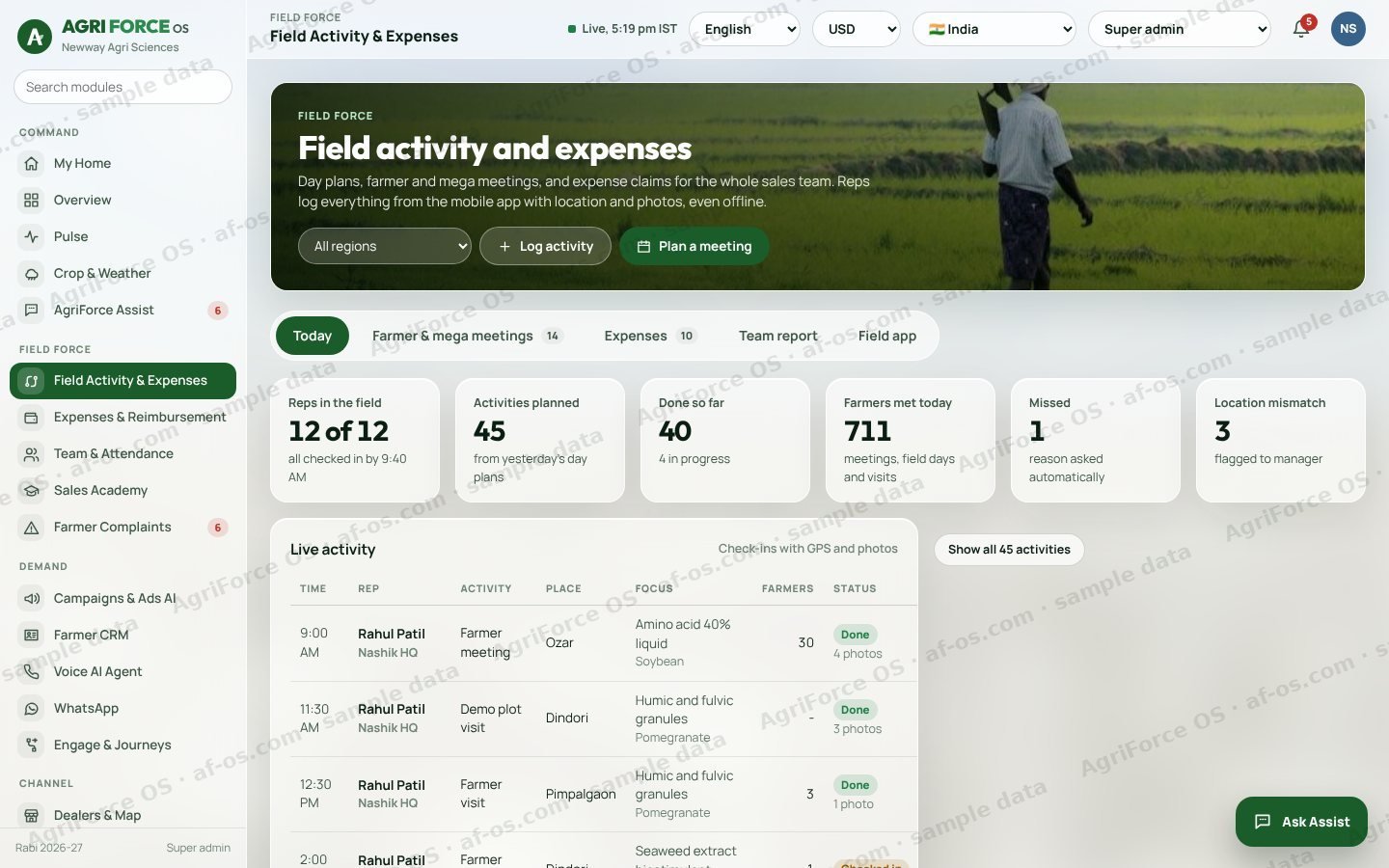
AgriForce OS ships a rep app built on exactly this pattern: punch in and out with live selfie, odometer and GPS; six action buttons; free and paid demos with separate pack lists; photos by stage; revisit reminders; and expenses checked against your own DA and hotel table. Managers get a detailed daily report and a map of every visit. You can see it in the live demo or tell us your requirements in the custom build form.
Frequently asked questions
What should a field force app for an agri company include?
Punch in and out with selfie, odometer and GPS; quick forms for demos, farmer meetings, farmer visits, dealer visits and crop shows; photos by stage; revisit reminders; and expense claims checked against company policy.
Can reps use it offline in villages?
A good agri field app saves entries on the phone and syncs when the network returns. AgriForce OS works this way.
How long does it take to roll out to reps?
Most companies start with a pilot team of 30 to 50 reps for four to six weeks, then roll out region by region.
We load your crops, territories and products into the AgriForce demo in 45 minutes.